

Recall Messages
1. Feature Introduction
You can recall messages you sent within a certain period of time, and group owners and group administrators can also recall messages sent by group members. After recall, the original position of the message will display that this message has been recalled.
- This feature is enabled by default.
2. Operation Process
Sender Recalls a Message
Desktop
Right-click the message that needs to be recalled and select Recall.
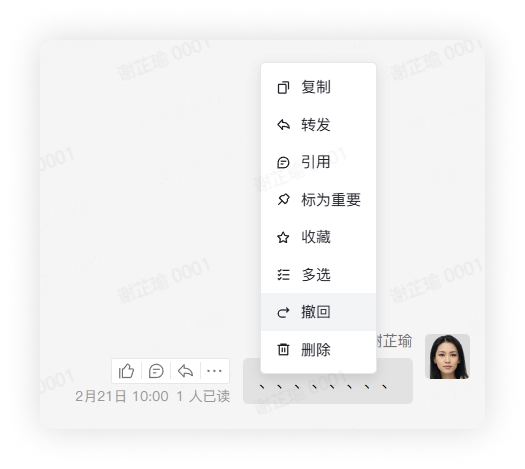
- You cannot recall a message that you have already deleted. After recall, the original position of the message will display "recalled a message".
Mobile
Long press the message that needs to be recalled in the chat and select Recall.
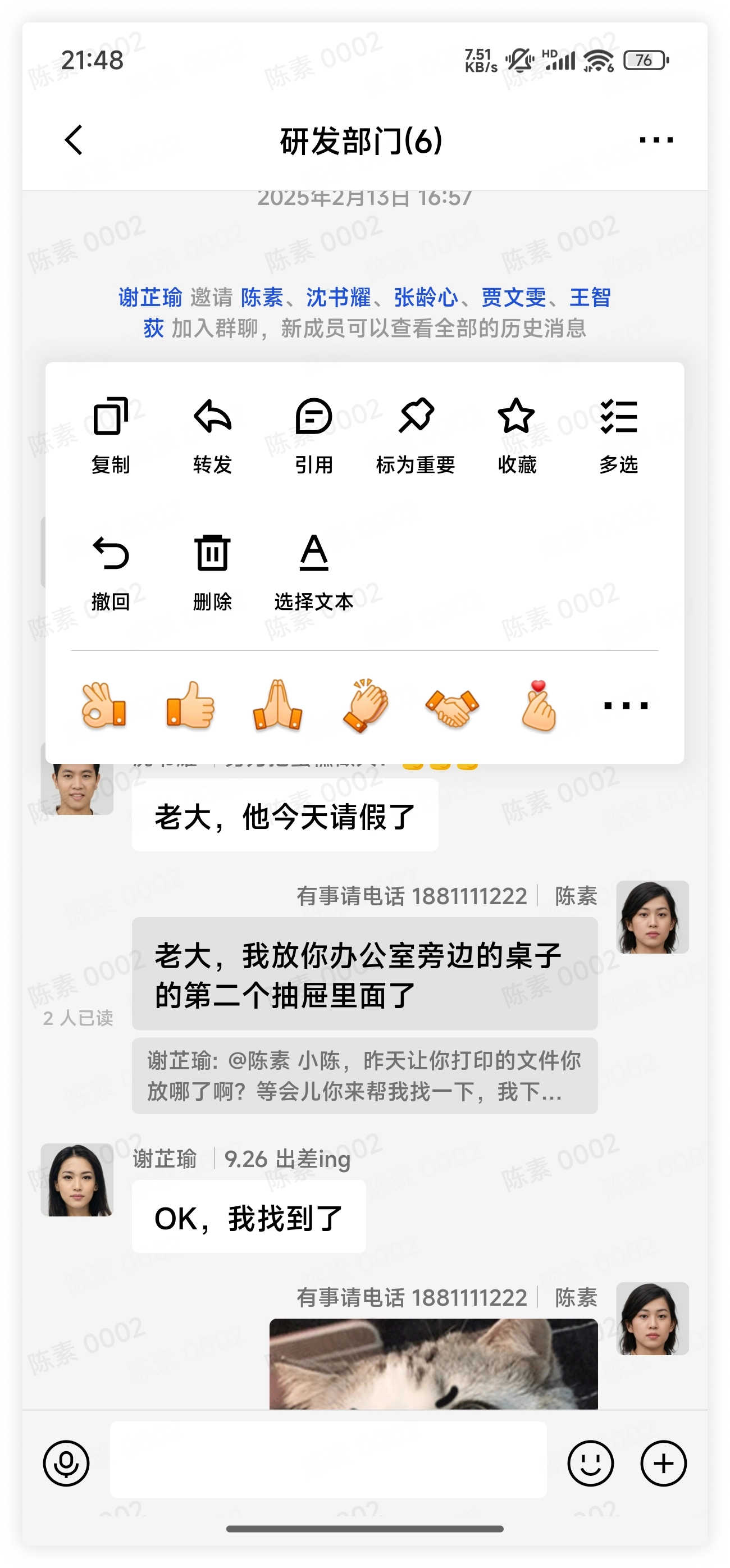
- You cannot recall a message that you have already deleted. After recall, the original position of the message will display "recalled a message".
Group Owners and Group Administrators Recall Group Member Messages
Desktop
Right-click the message that needs to be recalled and select Recall.
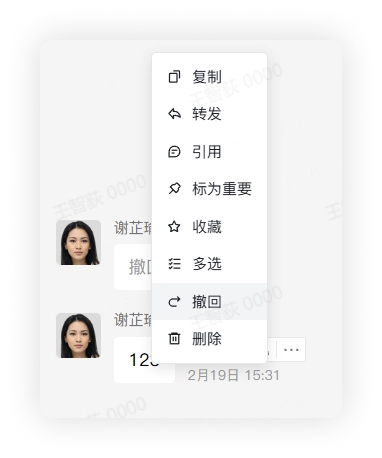
- You cannot recall a message that you have already deleted.
- Messages deleted by group members in their own chat interface are still visible to the group owner and group administrators, so the group owner and group administrators can still recall them. After recall, the original position of the message will display "recalled a message".
Mobile
Long press the message that needs to be recalled in the chat and select Recall.
- You cannot recall a message that you have already deleted.
- Messages deleted by group members in their own chat interface are still visible to the group owner and group administrators, so the group owner and group administrators can still recall them. After recall, the original position of the message will display "recalled a message".
3. FAQ
Q: Why can't I recall a message?
A: It may be due to the following reasons:
- The administrator of your enterprise has not set members to be allowed to recall messages.
- The message sending time has exceeded the recall time allowed by the administrator.
Q: How long after recalling a message can I edit it again?
A: The message can be edited again within five minutes. After five minutes, it can no longer be edited.
Q: Does the enterprise administrator have permission to recall messages sent by enterprise members?
A: No. Only when the enterprise administrator is the group owner or group administrator of a group chat do they have permission to recall messages sent by group members in the group.