

View the Sending and Reading Status of Messages
1. Feature Introduction
Feihan supports viewing the message reading status, so you can know in real time whether the other party has read the message you sent.
2. Operation Process
Check Whether a Message Has Been Read
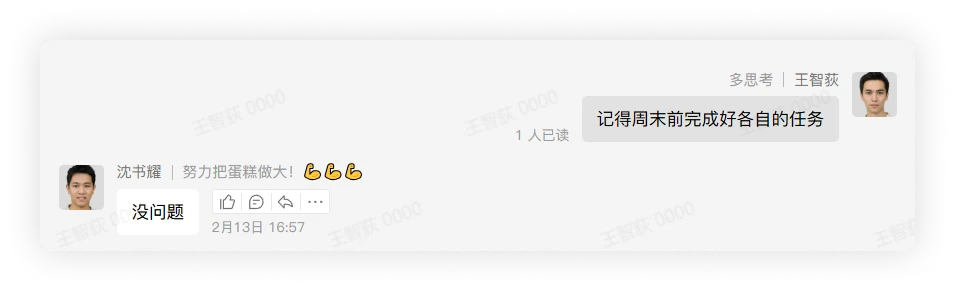
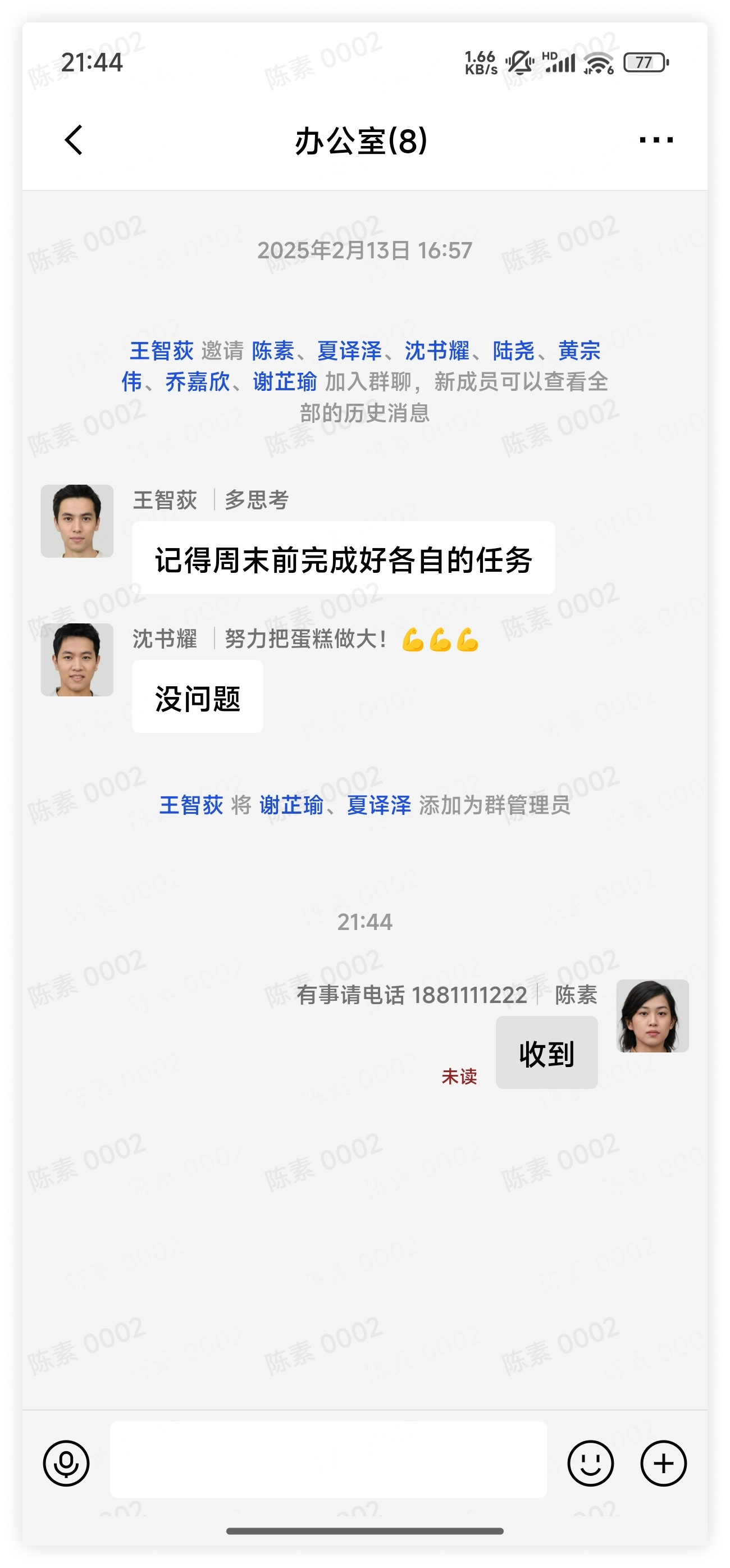
- The message status is displayed in text at the lower left corner of the message you sent: When all recipients have not read it, Unread is displayed. When users have read it, the number of users who have read it is displayed; click it to view the reading status of all users.
Desktop
Mobile
3. FAQ
Q: How can I tell whether a message is unread or failed to send?
A: If a red exclamation mark is displayed next to the message you sent, it means the message failed to send. If red unread text is displayed after the message, it means the message was sent successfully but the recipient has not read it.
Q: What counts as a new message being read?
A: You need to enter the chat interface and view the latest message content for the message to be considered read; only viewing the new message preview will not show the message as read.