

Add Group Administrators
1. Feature Introduction
If you are the group owner, you can add or remove group administrators in the group chat and set the management permissions of group administrators.
- Only the group owner can perform this operation. Group administrators and group members cannot perform this operation.
2. Operation Process
Desktop
-
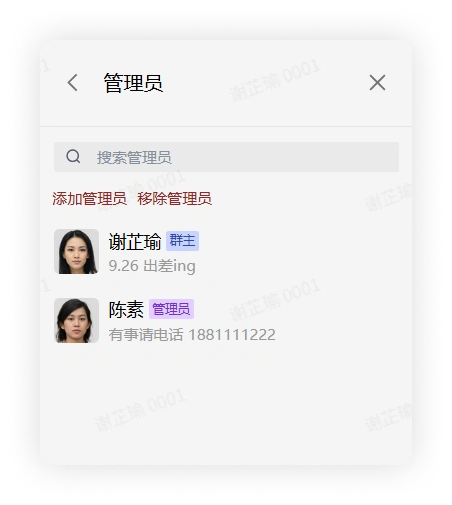
Click the "More Group Info" button in the upper right corner of the group chat > click Group Management > Administrators to enter the corresponding interface.
-
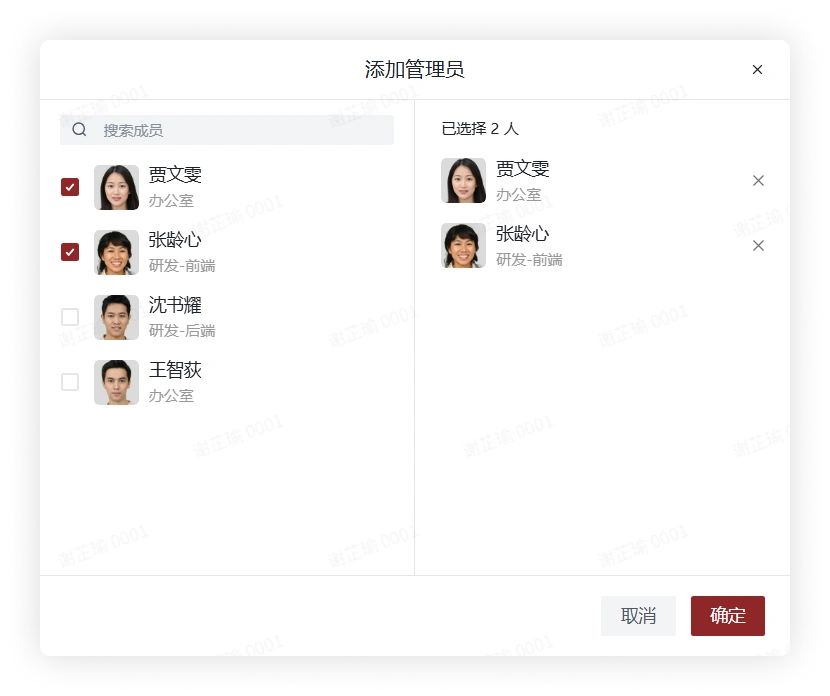
Click Add Administrator, check members in the pop-up window, and click Confirm to add group administrators.
-
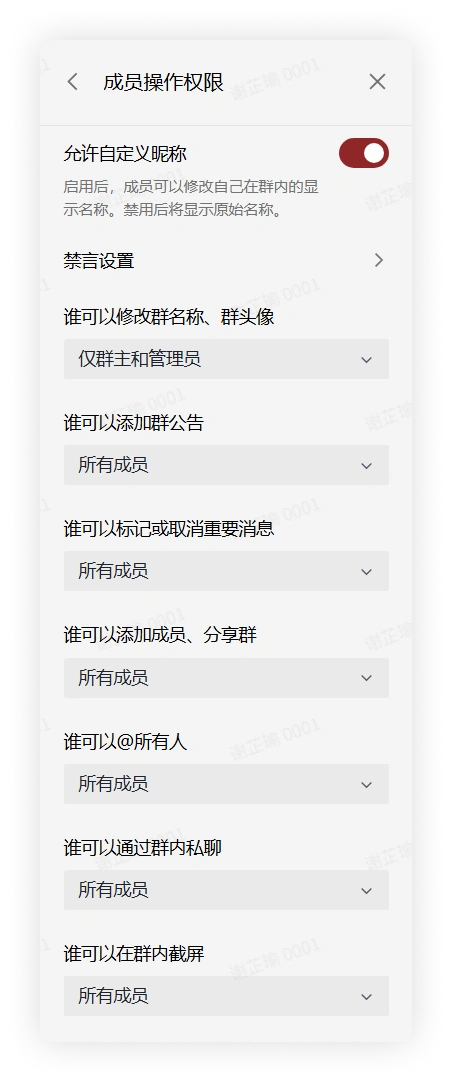
In the Group Management interface, click Member Operation Permissions. On this interface, you can set some operation permissions to only the group owner or administrators, such as modifying the group name, group avatar; adding group announcements; marking or unmarking important messages, etc.
-
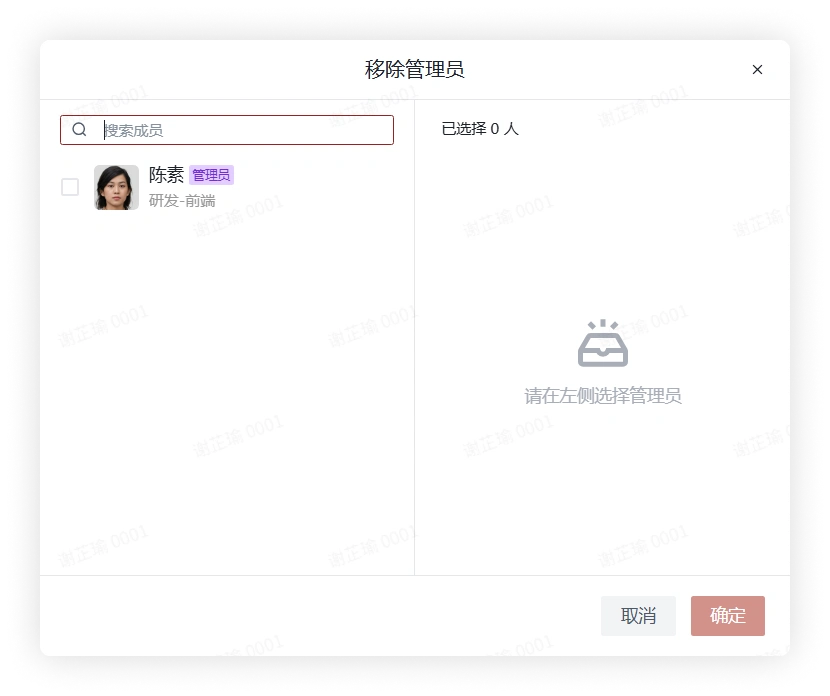
If you need to remove group administrators, you can click the "More Group Info" button in the upper right corner of the group chat > click Group Management > Administrators, and on this interface click Remove Administrator to select and remove the administrator identity.
Mobile
-
Click the "More Group Info" button in the upper right corner of the group chat > click Group Management > Administrators to enter the corresponding interface.
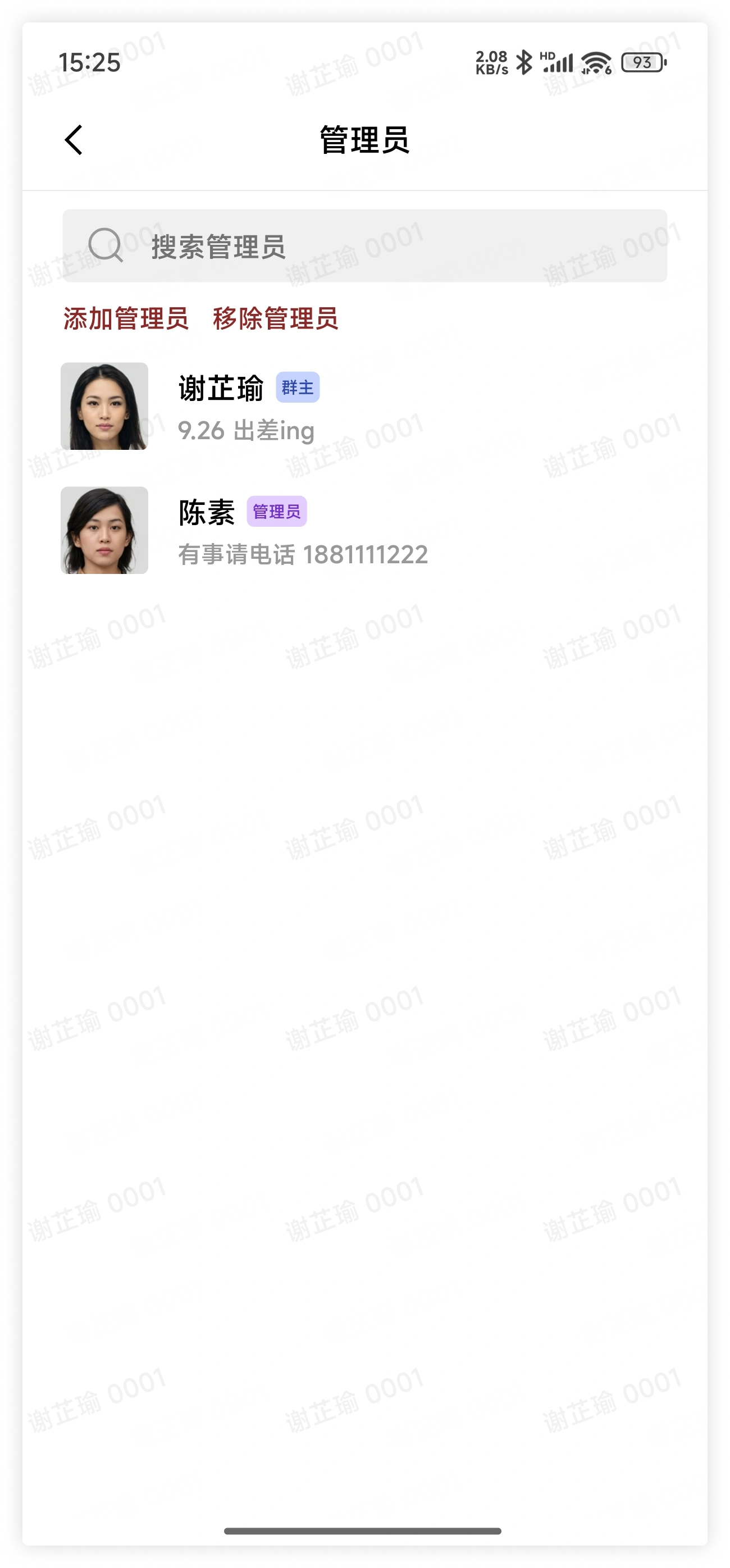
-
Click Add Administrator, and check members in the pop-up window.
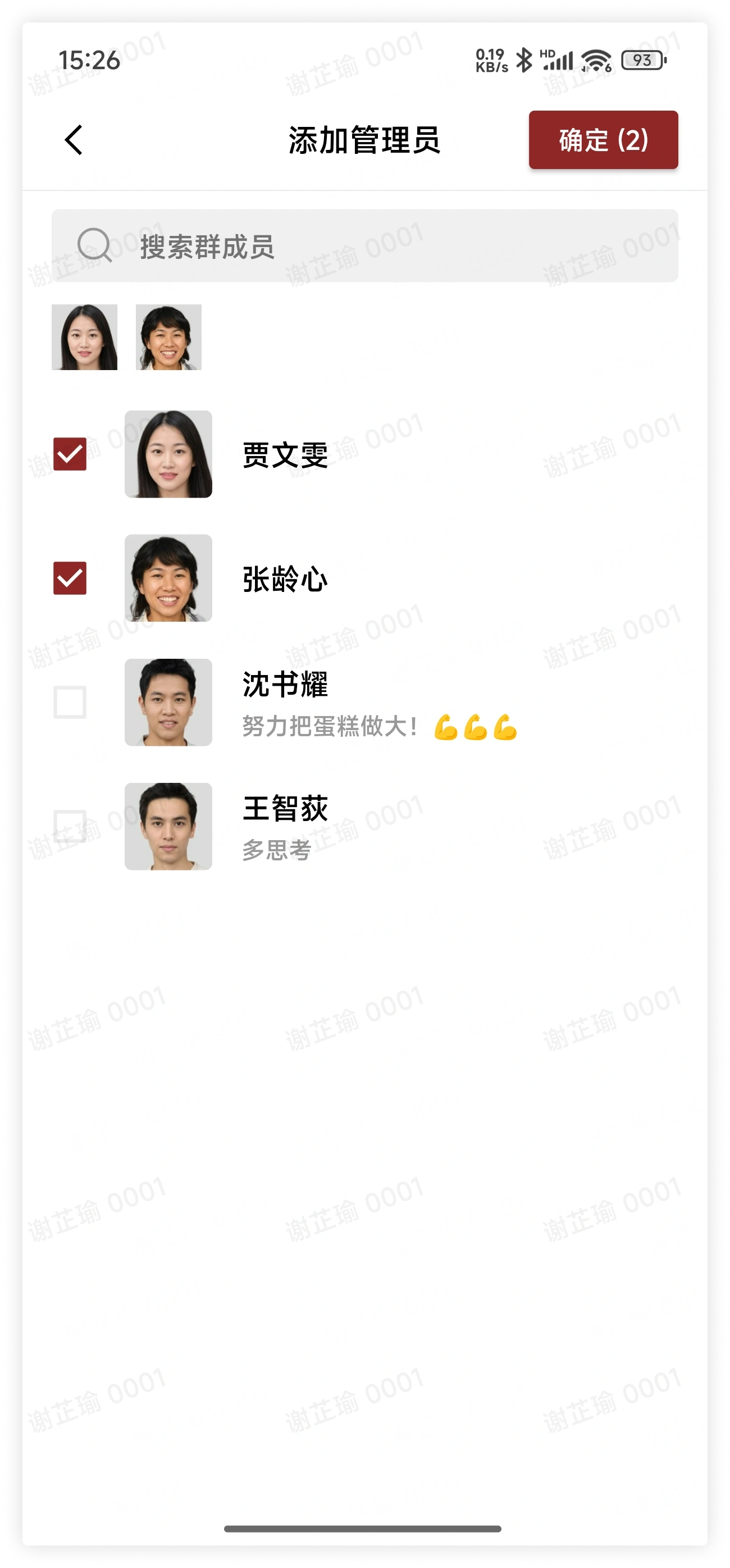
-
In the Group Management interface, click Member Operation Permissions. On this interface, you can set some operation permissions to only the group owner or administrators, such as modifying the group name, group avatar; adding group announcements; marking or unmarking important messages, etc.
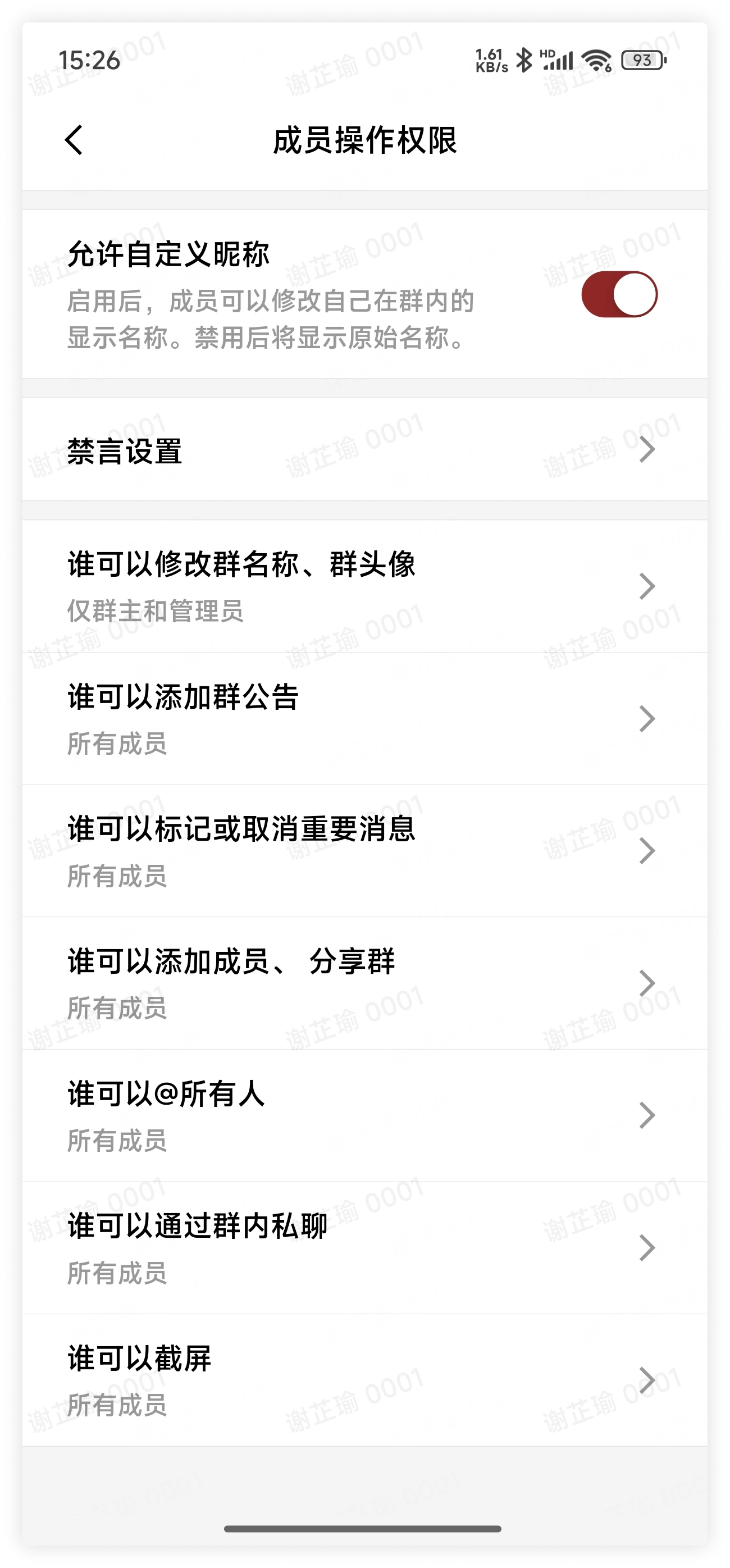
-
If you need to remove group administrators, you can click the "More Group Info" button in the upper right corner of the group chat > click Group Management > Administrators, and on this interface click Remove Administrator to select and remove the administrator identity.
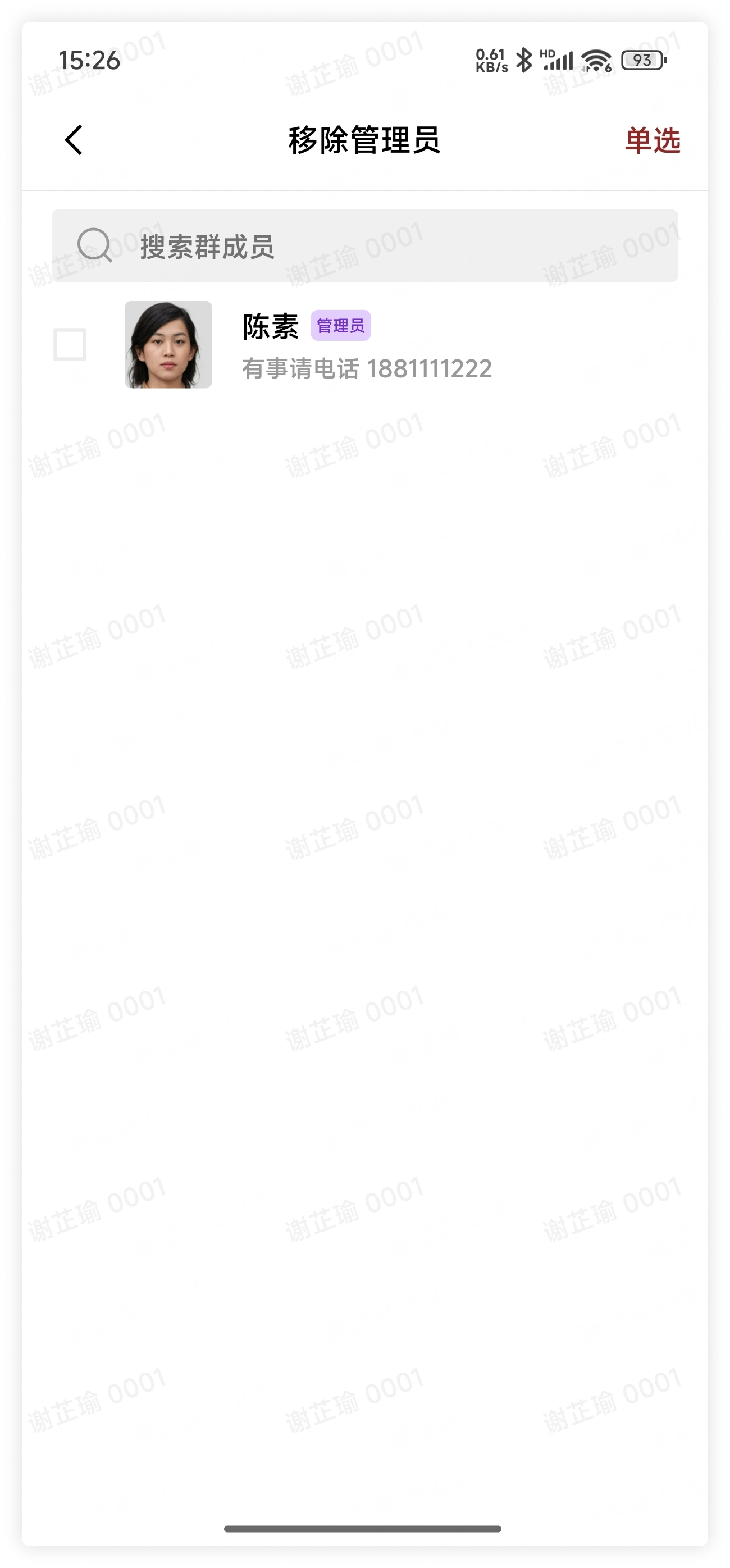
3. FAQ
Q: What is the difference between the permissions of the group owner and administrators?
A: Group administrators can have most of the management permissions of the group owner, except:
- Add and remove administrators: Only the group owner has this permission. Group administrators do not have permission to add or remove group administrators, nor can they remove group administrators from the group chat.
- Dismiss the group chat or transfer the group owner: Only the group owner has this permission. Group administrators do not have permission to dismiss the group chat or transfer the group owner.
Q: How many group administrators can a group chat have?
A: There is no limit.
Q: How can I find the group owner and group administrators in the group?
A:
- If you are on desktop, you can click the View Group Members button under the group name in the upper left corner of the chat, and in the displayed members, the group owner and group administrators will each have their own suffix labels.
- If you are on mobile, you can click the group name above the chat to view the group member list, and in the displayed members, the group owner and group administrators will each have their own suffix labels.