

Pin a Chat in the Message List
1. Feature Introduction
You can use the pin feature to display chats you want to focus on at the top of the list.
2. Operation Process
Desktop
-
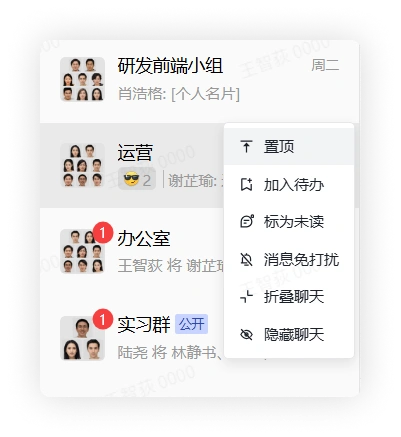
In the chat list, select a chat, right-click it, and click Pin to display the chat at the top of the chat list.
-
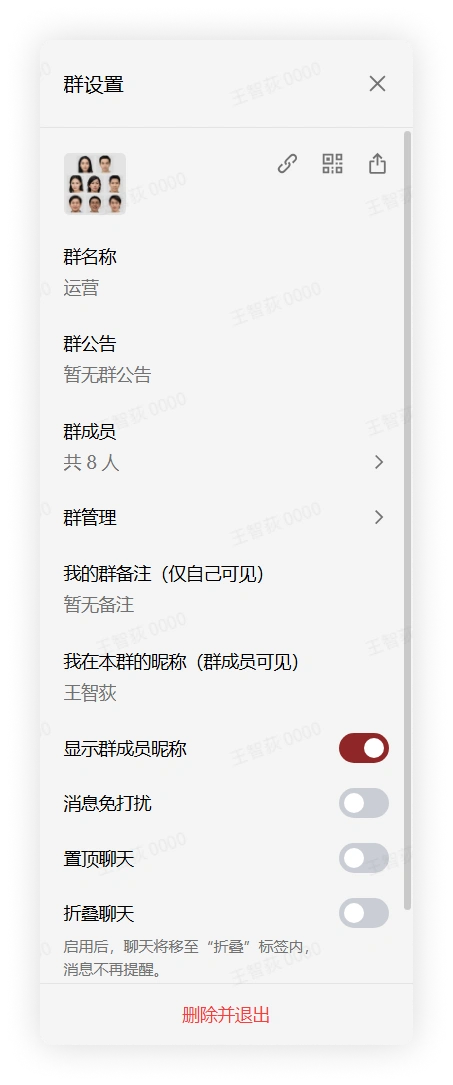
In the chat page, click "More Group Info" in the upper right corner, find and click Pin Chat in the expanded menu, and the chat will be displayed at the top of the chat list.
Mobile
-
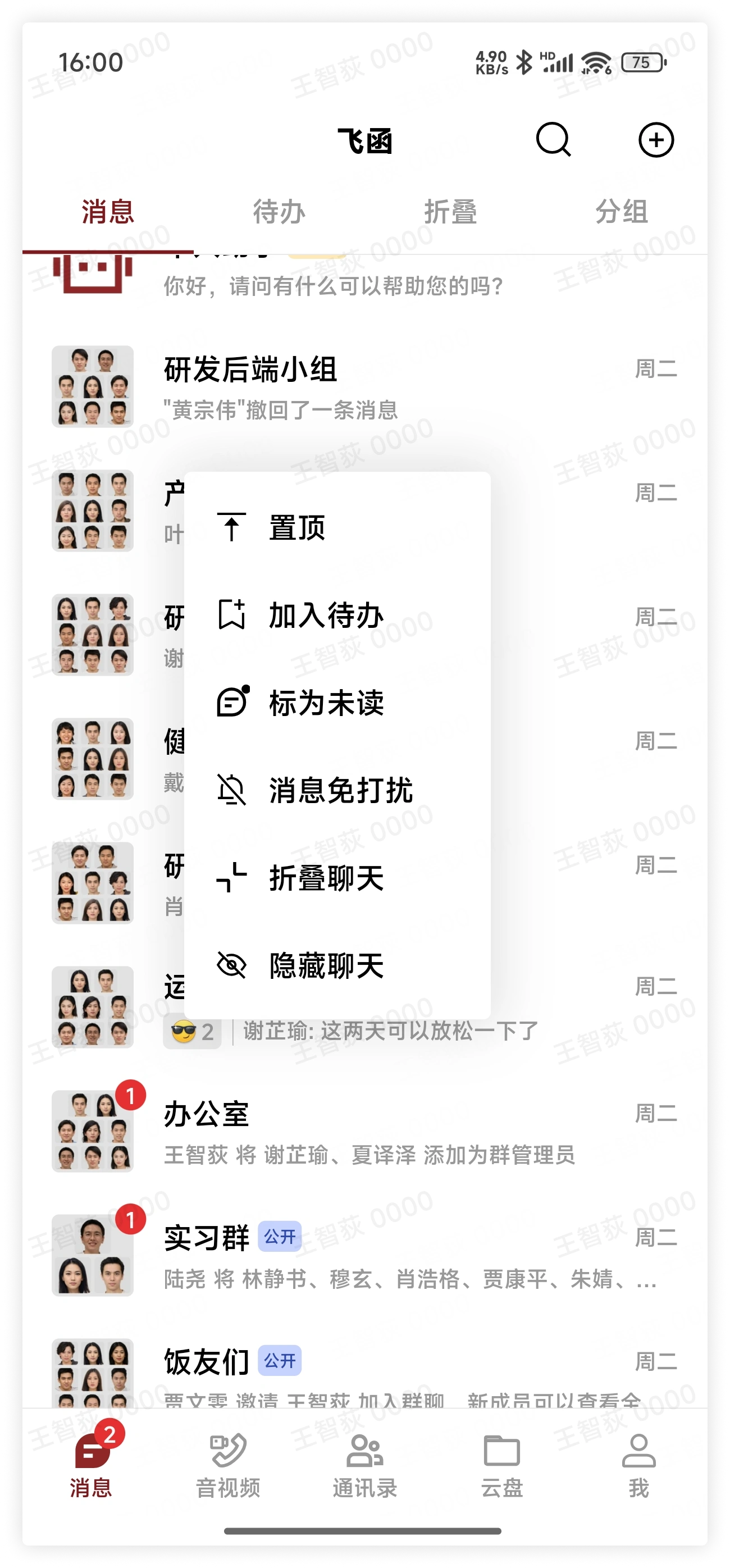
In the chat list, select a chat, long press the chat, and click Pin in the pop-up menu to display the chat at the top of the chat list.
-
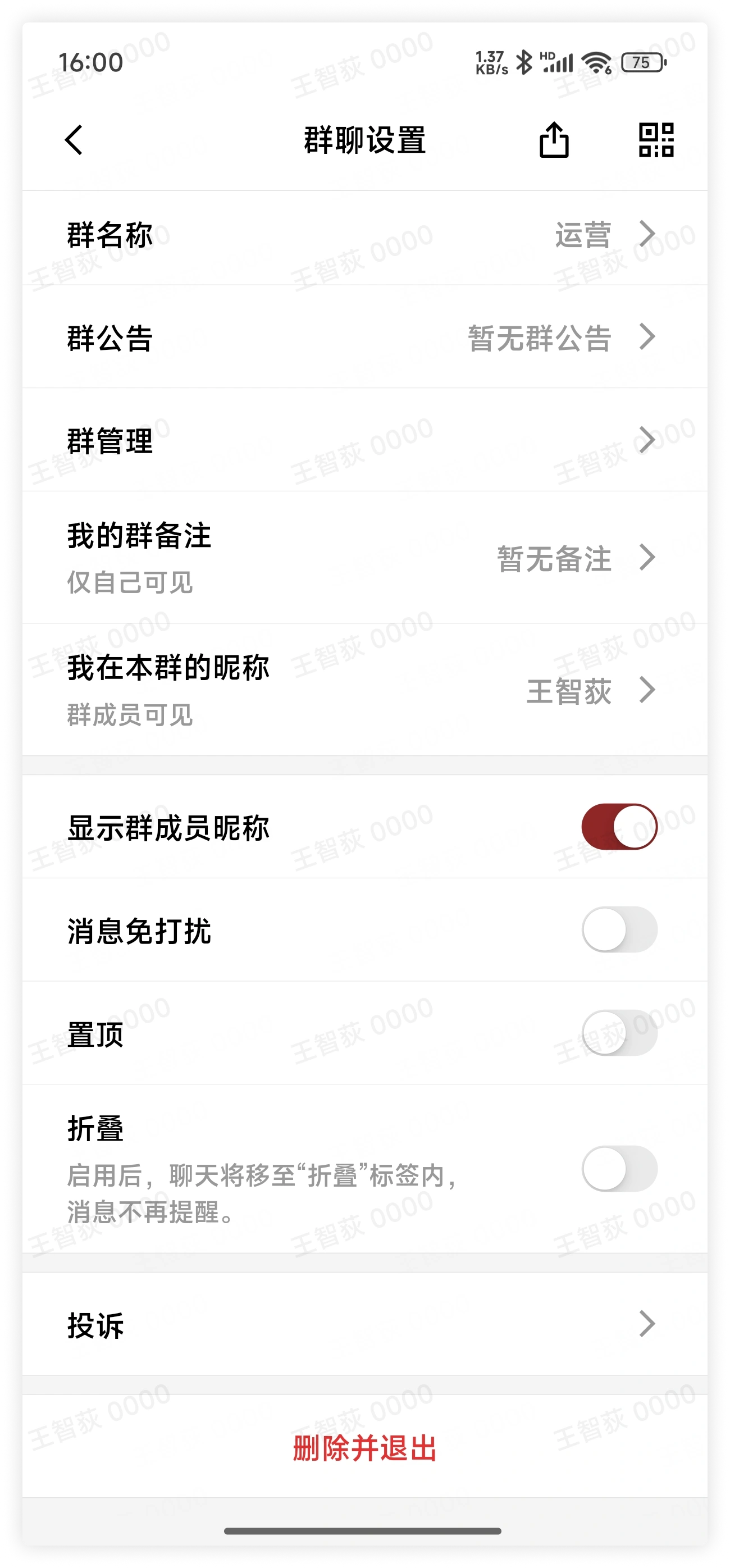
In the chat page, click "More Group Info" in the upper right corner, find and click Pin in the expanded menu, and the chat will be displayed at the top of the chat list.
3. FAQ
Q: If I have multiple pinned chats, which chat will be at the top?
A: When multiple pinned chats appear at the same time, they will be sorted according to the time of the last message, and the most recent chat will be at the top.