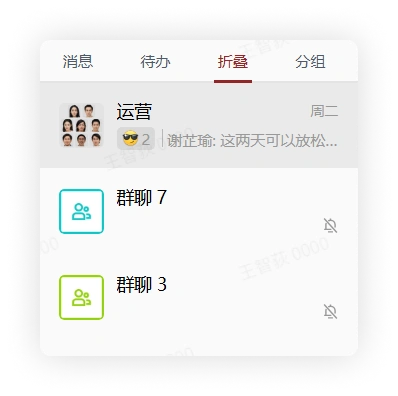
Use the Fold Chat Feature
1. Feature Introduction
After unimportant chats are folded, you will still receive the chat content, but you will no longer receive message notifications for that chat.
2. Operation Process
Desktop
-
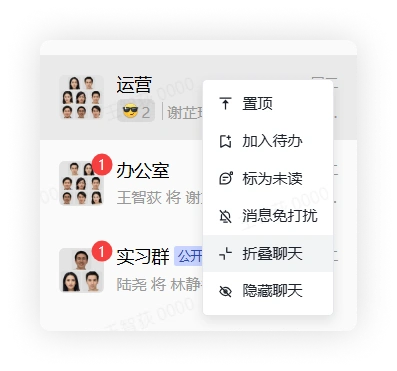
In the chat list, select a chat, right-click it, and click Fold Chat to fold the chat.
-
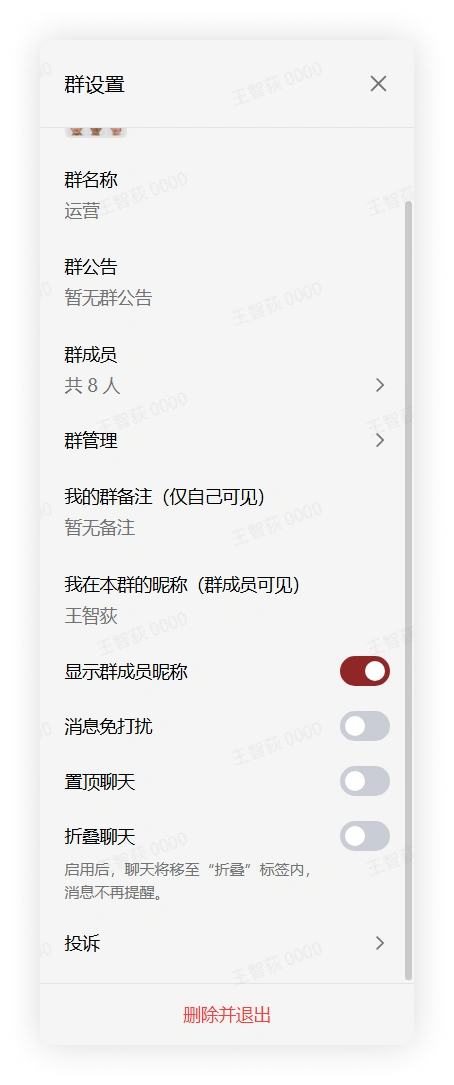
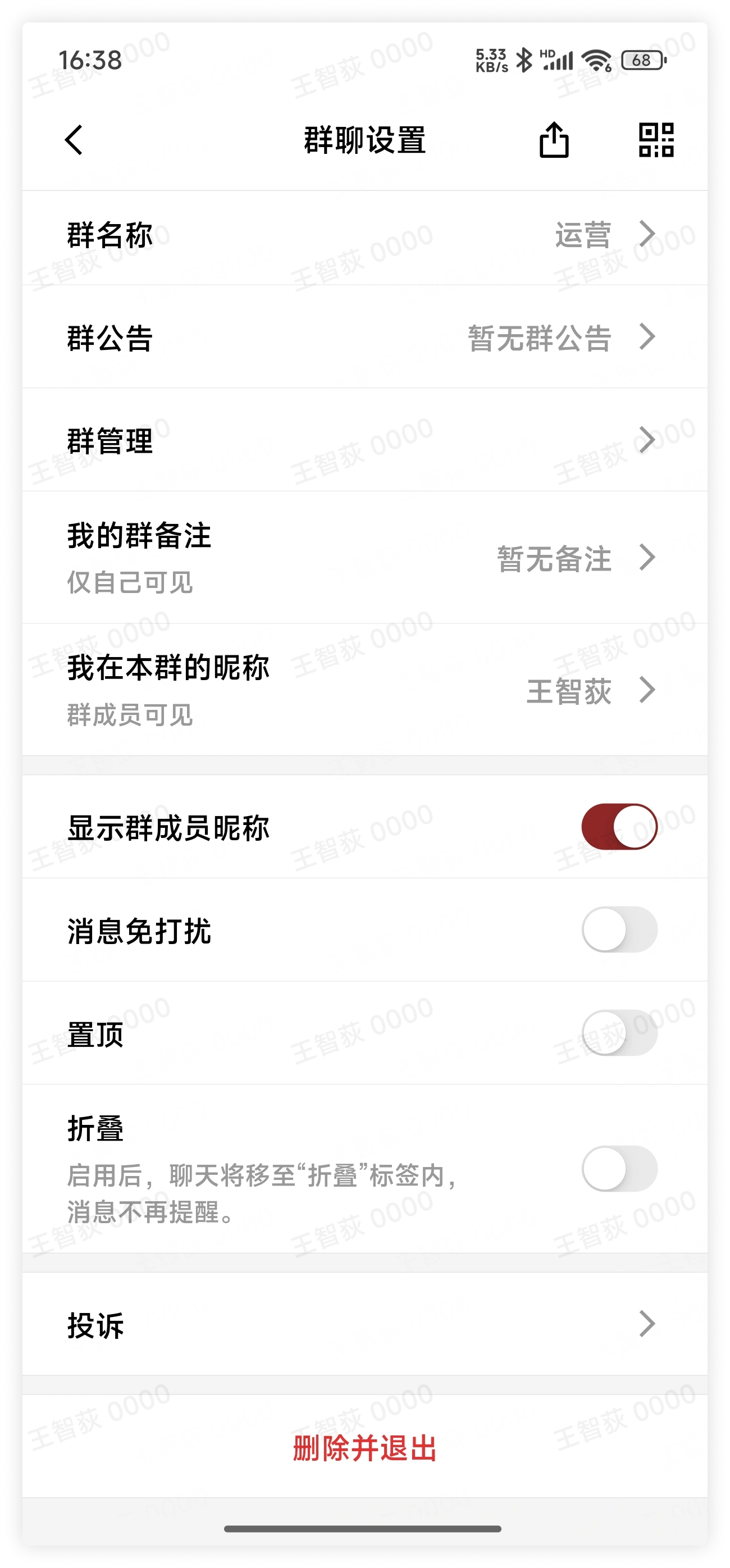
In the chat page, click "More Group Info" in the upper right corner, find and click Fold Chat in the expanded menu, and the chat will be folded.
Mobile
-
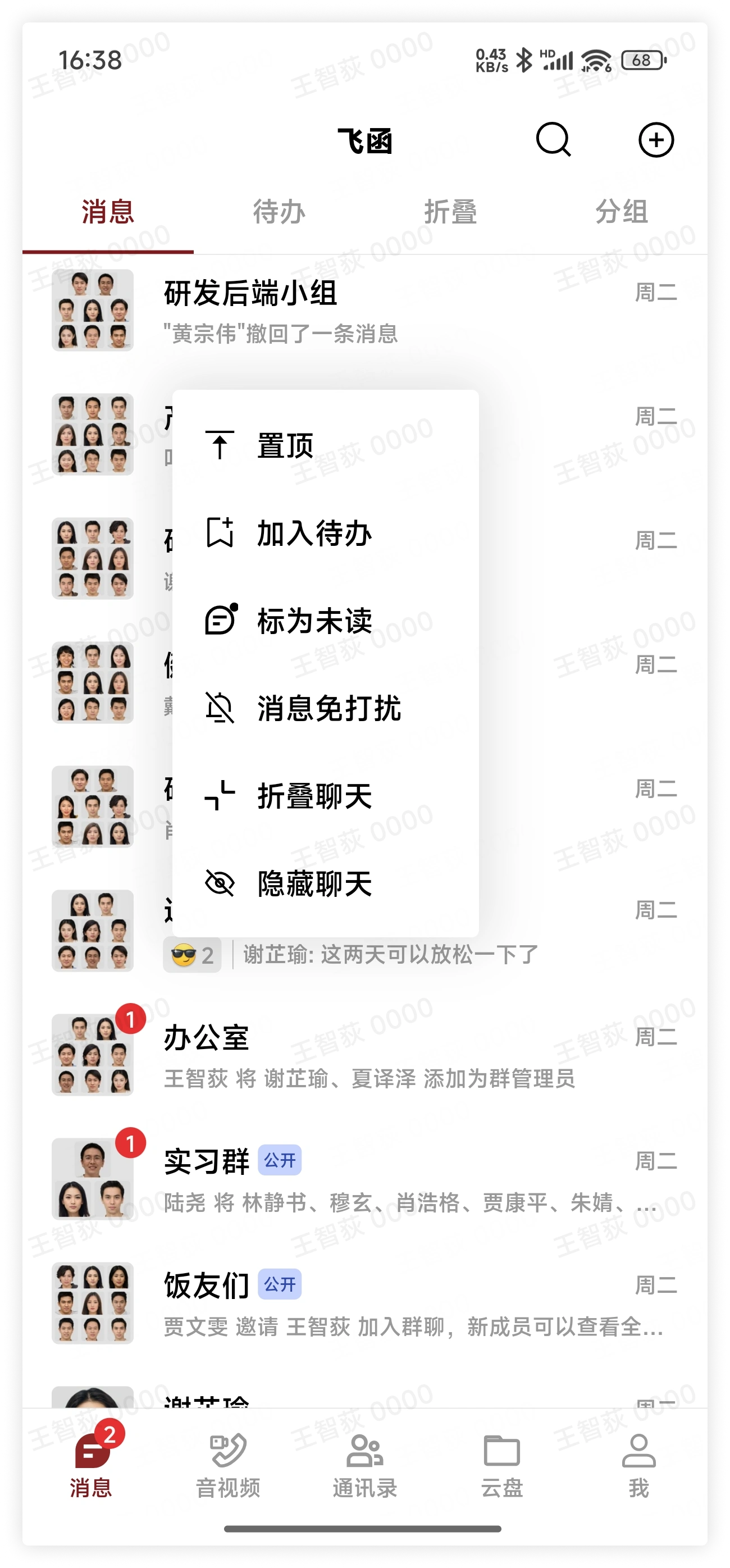
In the chat list, select a chat, long press the chat, and click Fold Chat in the pop-up menu to fold the chat.
-
In the chat page, click "More Group Info" in the upper right corner, find and click Fold in the expanded menu, and the chat will be folded.
View Folded Chats
Click the "Fold" button in the menu above the message list to view all folded chats.