

Set Group Member Speaking Permissions
1. Feature Introduction
Group owners or group administrators can set which members in the group can speak.
2. Operation Process
Desktop
-
Click the "More Group Info" button in the upper right corner of the group chat > click Group Management > Member Operation Permission Management > Mute Settings to enter the corresponding interface.
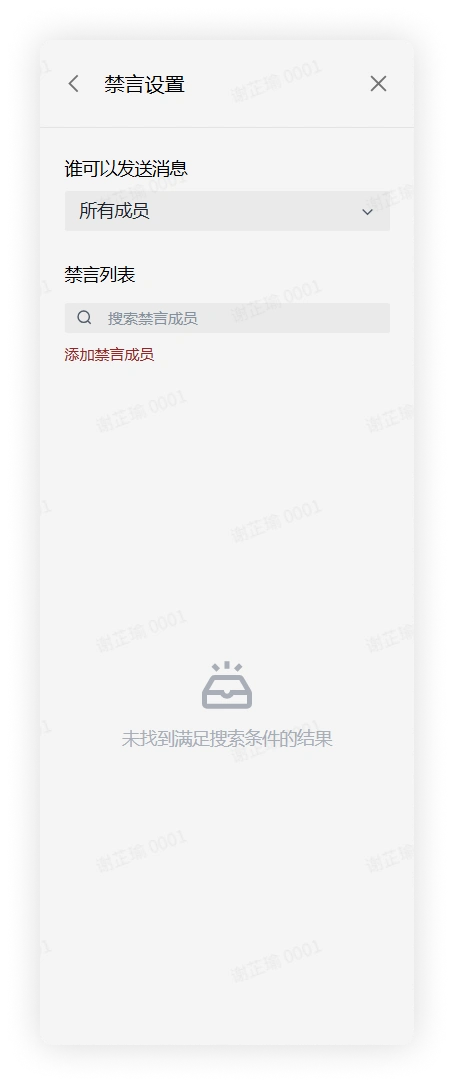
-
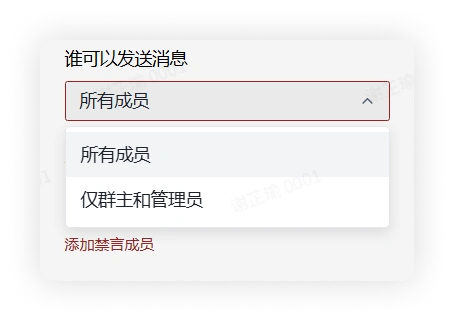
In Mute Settings, find Who Can Send Messages, expand the options, and modify the group chat speaking permission to all members or only the group owner and group administrators can speak.
Mobile
-
Click the "More Group Info" button in the upper right corner of the group chat > click Group Management > Member Operation Permission Management > Mute Settings to enter the corresponding interface.
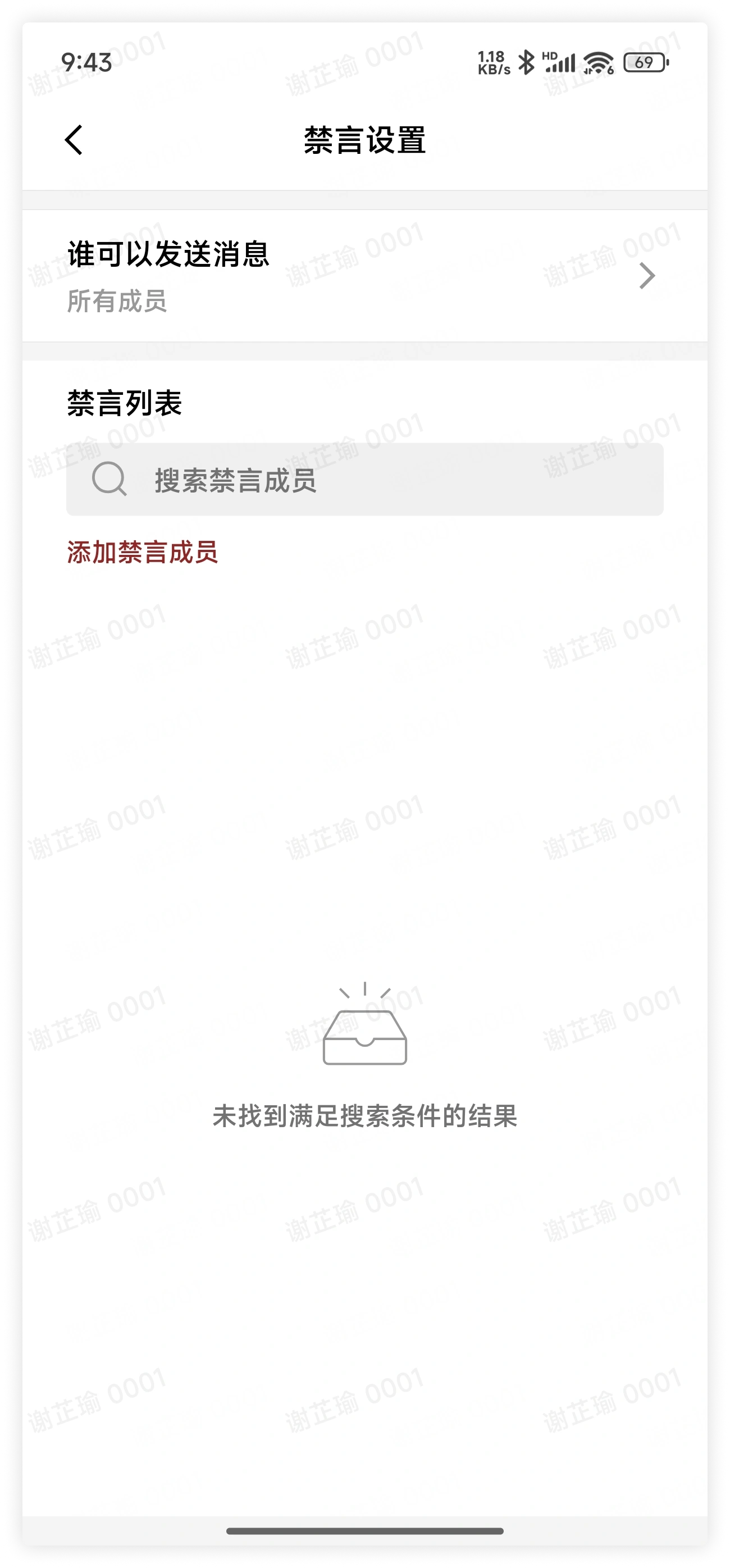
-
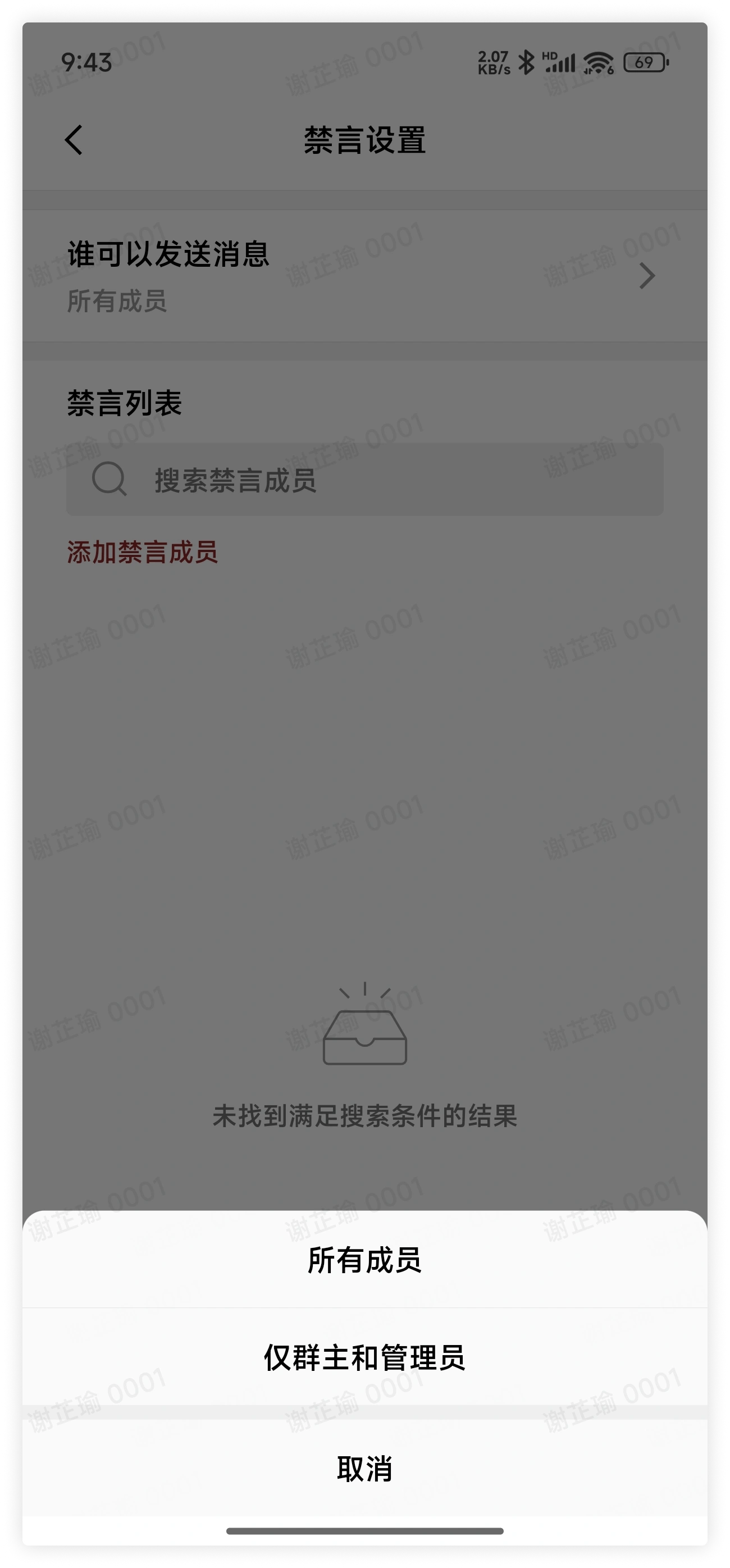
In Mute Settings, find Who Can Send Messages, expand the options, and modify the group chat speaking permission to all members or only the group owner and group administrators can speak.
3. FAQ
Q: In addition to directly modifying the group chat speaking permissions, can individual users be muted separately?
A: Yes. Group owners or group administrators can achieve the purpose of muting individual users by adding muted members in Mute Settings.