

Set Whether New Members Can View History Messages After Joining
1. Feature Introduction
Group owners and group administrators can set whether newly joined members can view the history messages in the group.
2. Operation Process
Desktop
-
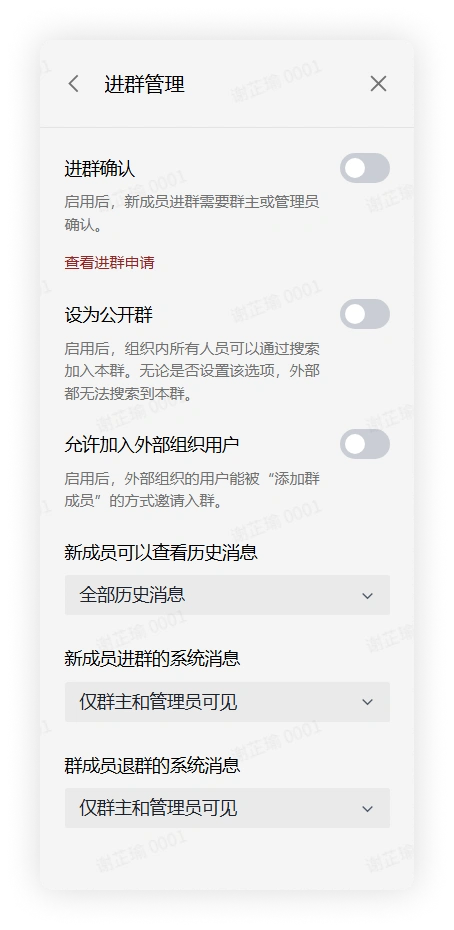
Click the "More Group Info" button in the upper right corner of the group chat > click Group Management > Join Group Management to enter the corresponding interface.
-
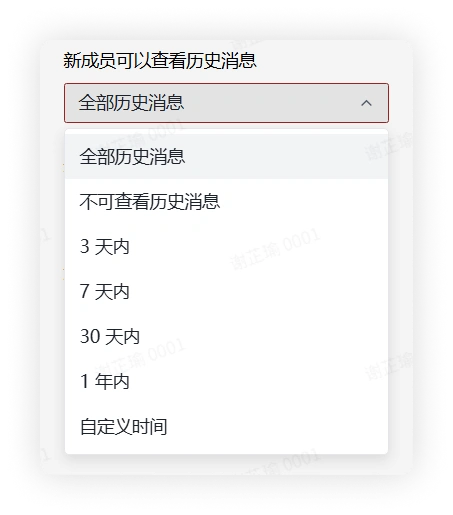
In Join Group Management, find New Members Can View History Messages, expand the options, select whether new members can view history messages, or modify the time range within which new members can view history messages.
Mobile
-
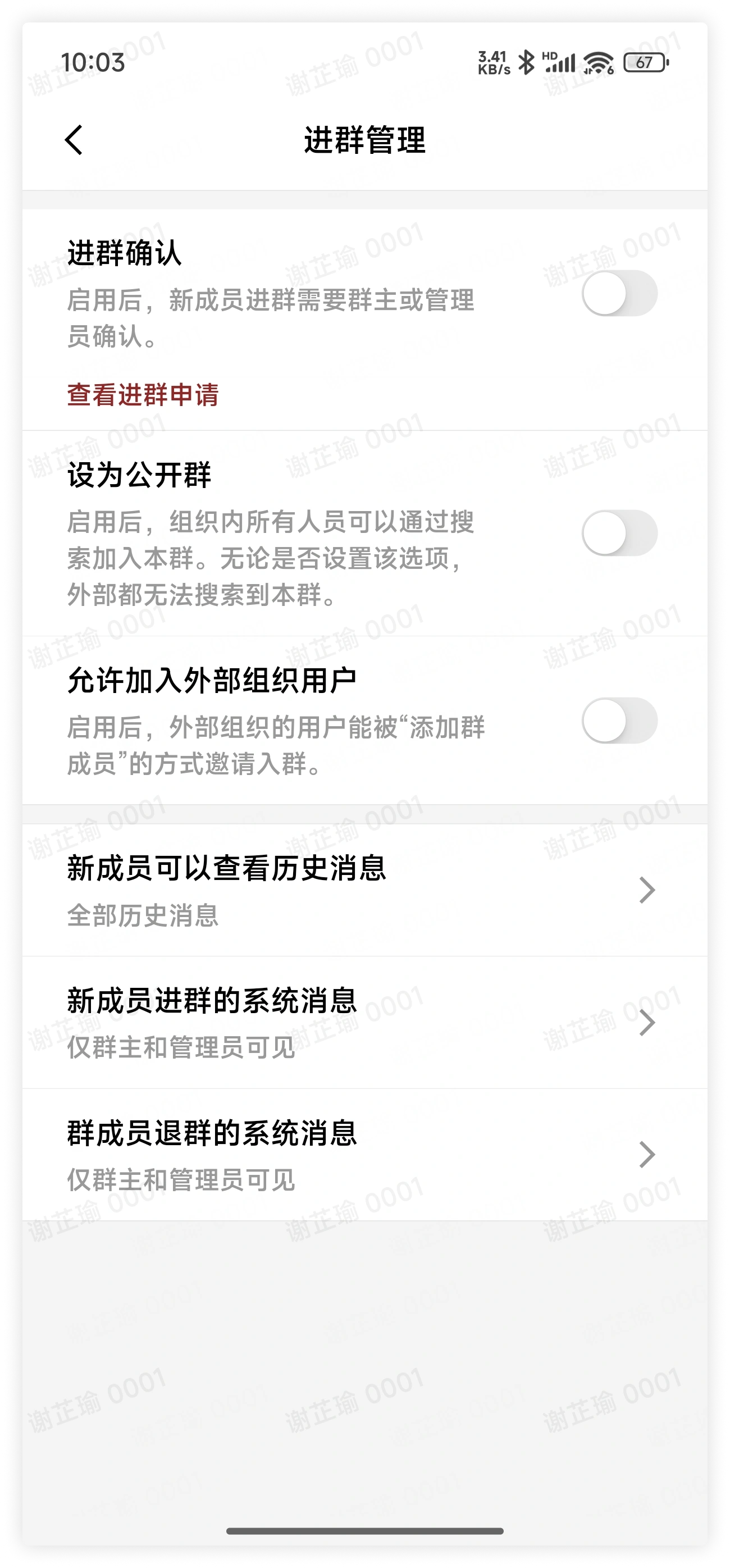
Click the "More Group Info" button in the upper right corner of the group chat > click Group Management > Join Group Management to enter the corresponding interface.
-
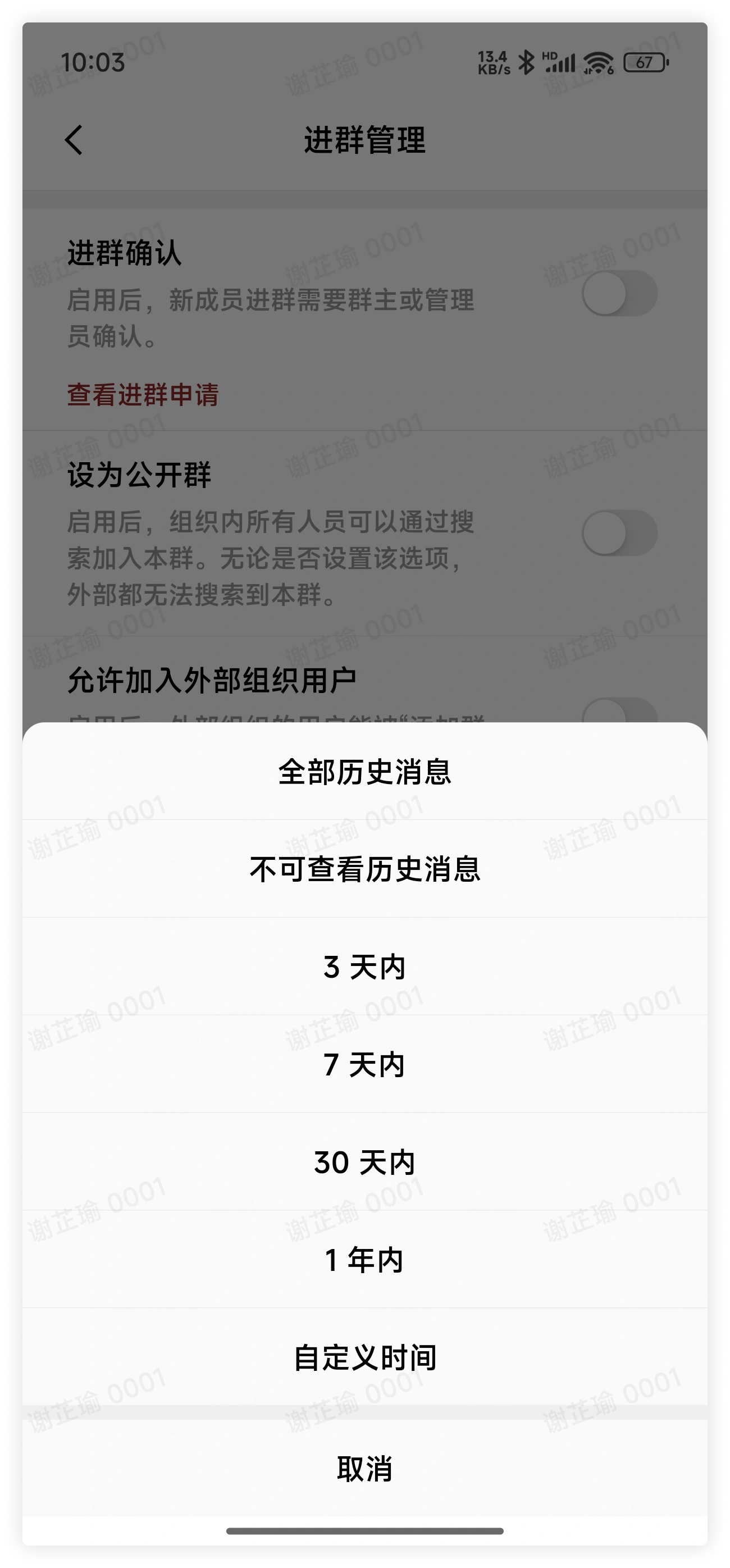
In Join Group Management, find New Members Can View History Messages, expand the options, select whether new members can view history messages, or modify the time range within which new members can view history messages.
3. FAQ
Q: If after a member joins the group, the group owner or group administrators turn off "New members can view history messages", can the member still see the history messages in the group?
A: Yes. Whether a member can see the history messages in the group depends on the settings before that member joined the group.
Q: How do I remove members?
A: Only the group owner and group administrators can remove group members. Click the "More Group Info" button in the upper right corner of the group chat > Group Members, and on the group members interface click Remove, select the group members, and click Confirm to remove them from the group chat.