

Linux - Download and Installation Guide
This article will introduce how to download and install the Feihan Linux Server.
Download and Installation
-
Visit the download page on the Feihan official website
-
In the server download options, select
Linux Server -
After the download is complete, extract the archive and open the folder
-
Open the terminal, enter the extracted folder, and run
./feihan run -
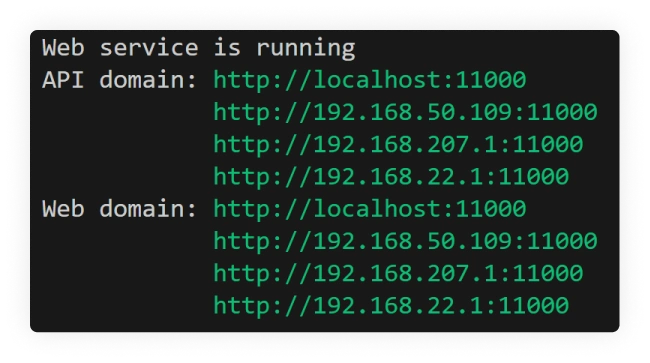
After the terminal displays
Web service is running(as shown below)

Enter any one of the links shown in the terminal into the browser to perform the initial server setup
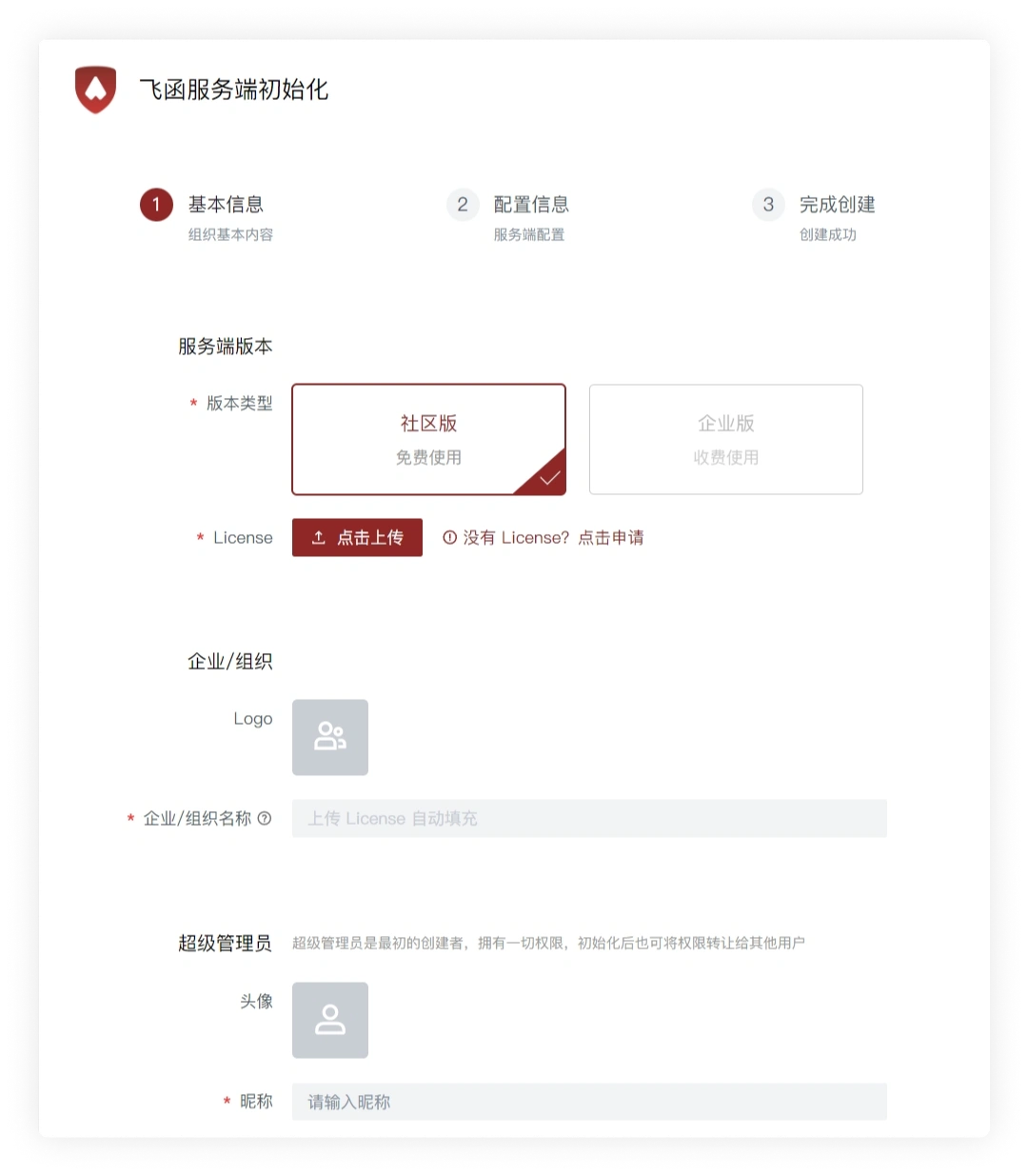
Initialize Feihan Server
- Enter the Feihan Server initialization page, select the corresponding server version, and click to upload the
License(a file with the.fhlsuffix)
License is required to run. To obtain it, please contact us
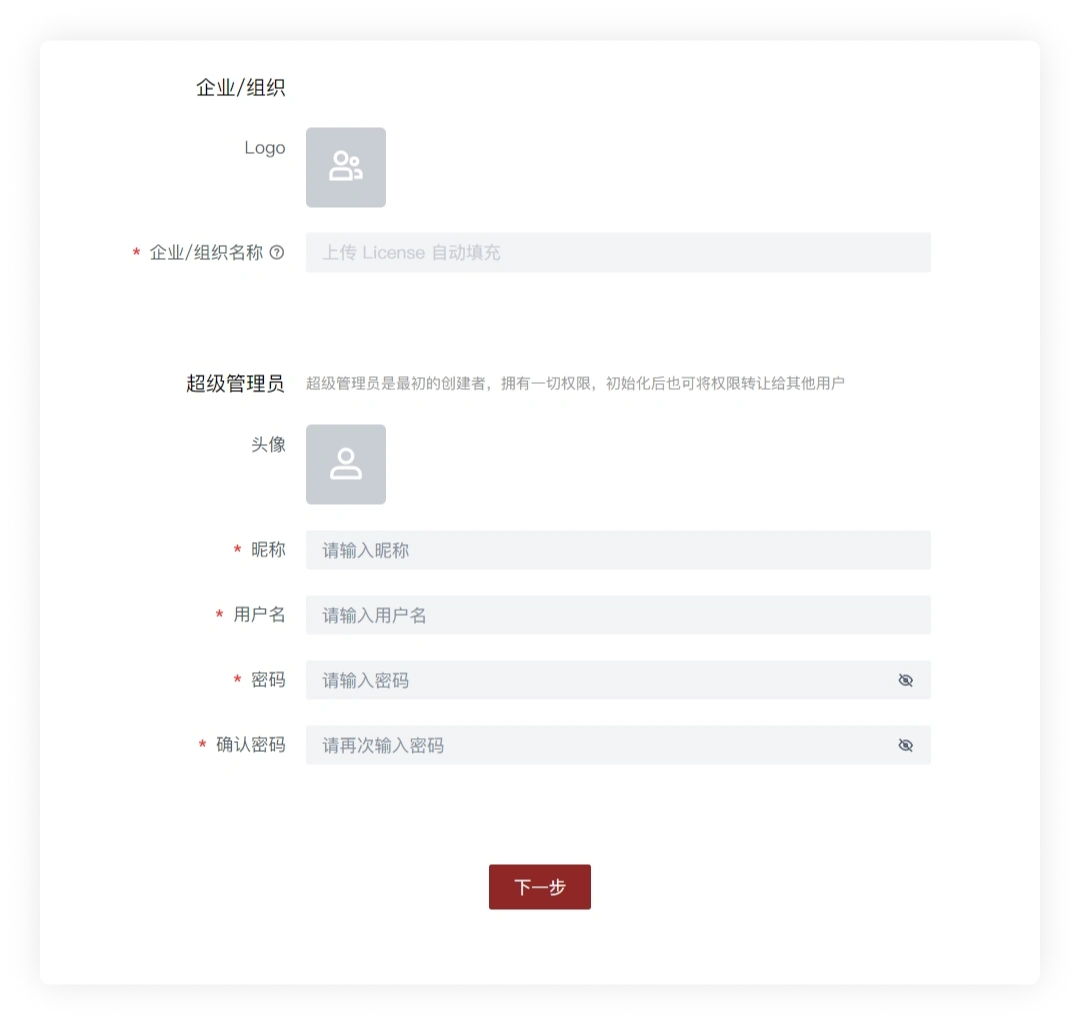
- Set the enterprise/organization avatar, Super Admin avatar, username, password, and other information, then click Next
Please remember the Super Admin username and password, which are also the username and password you use to log in to the Feihan client
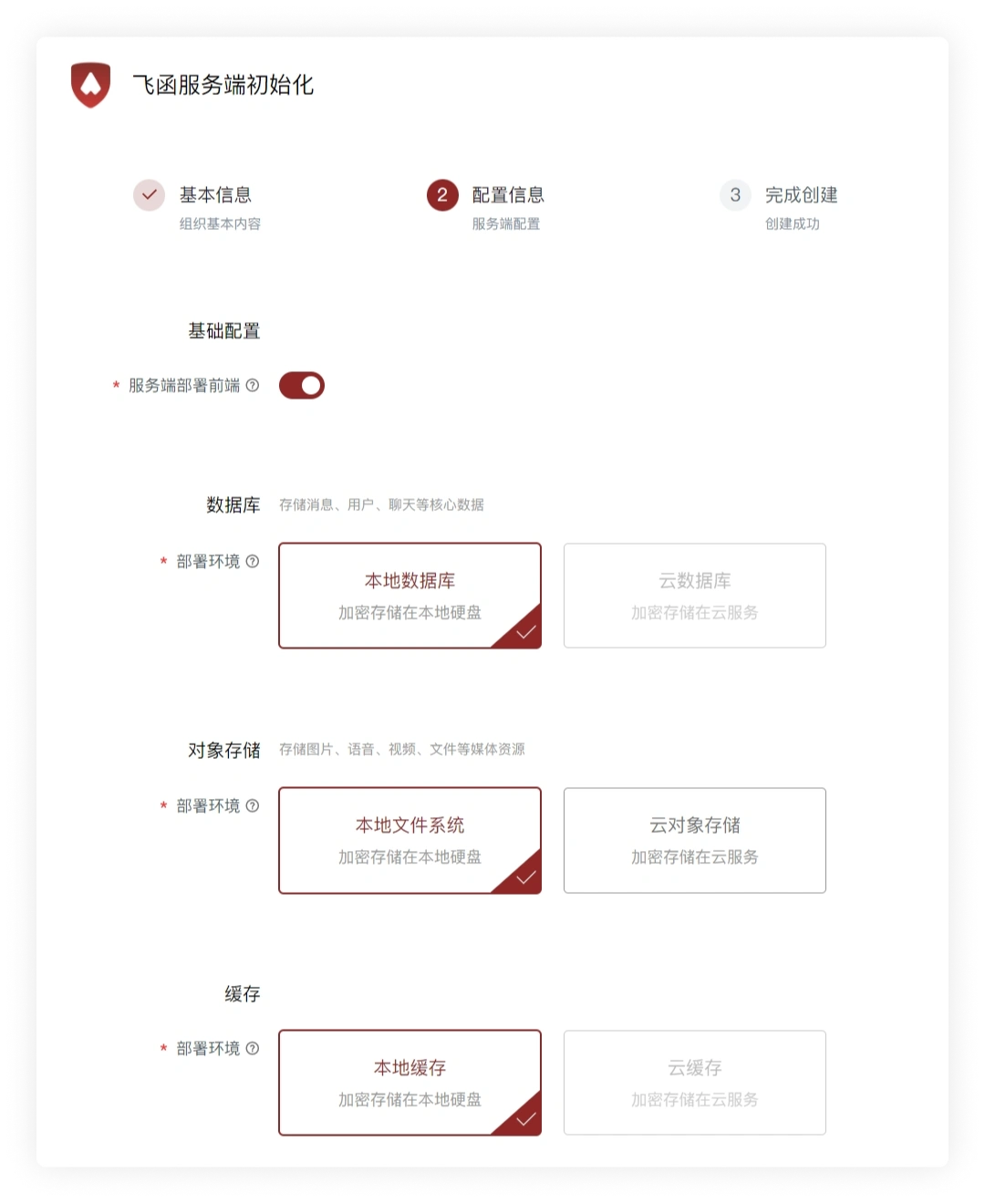
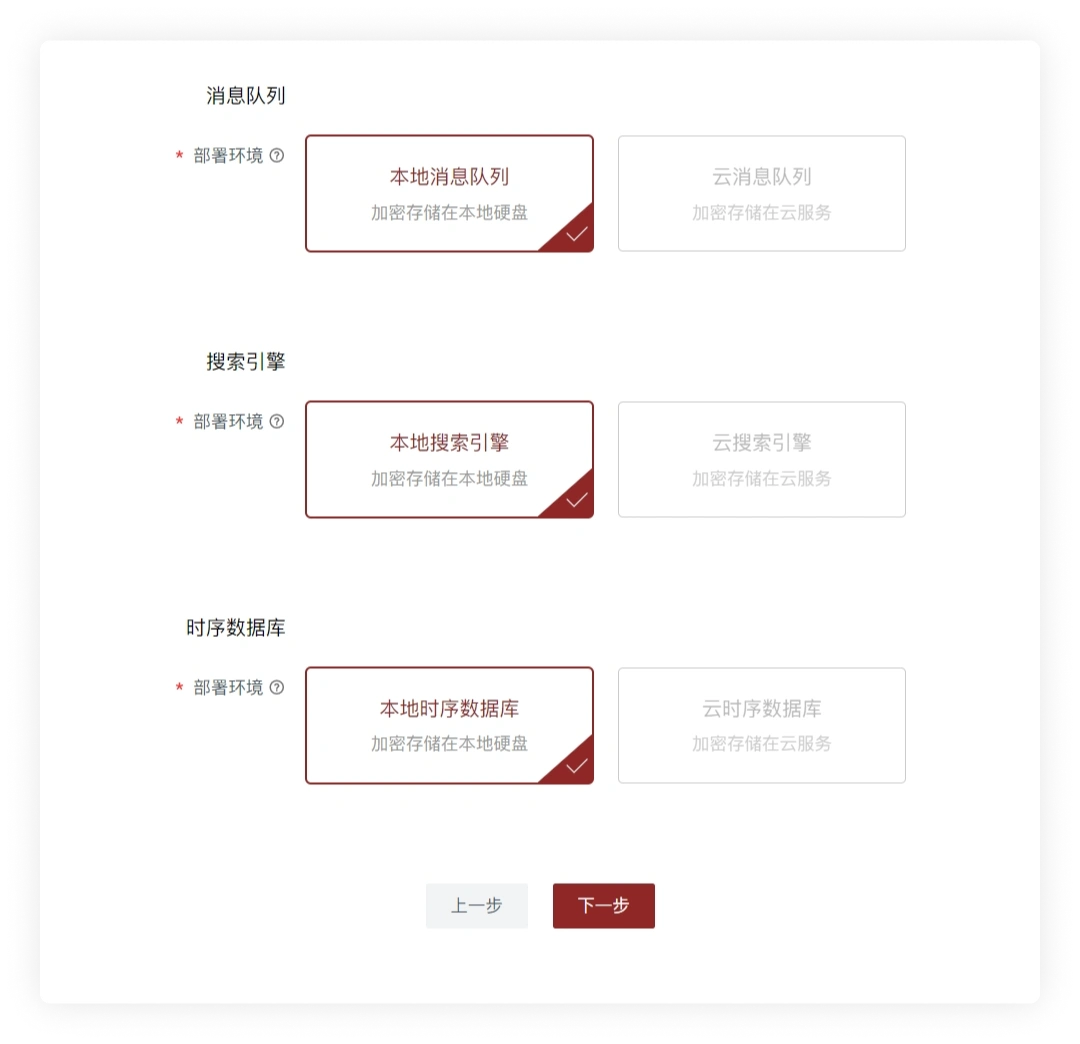
- Select the configuration information step by step and click Next (there are explanations of related terms in the question mark on the right side of the relevant professional terms)
- Wait for the server creation to complete
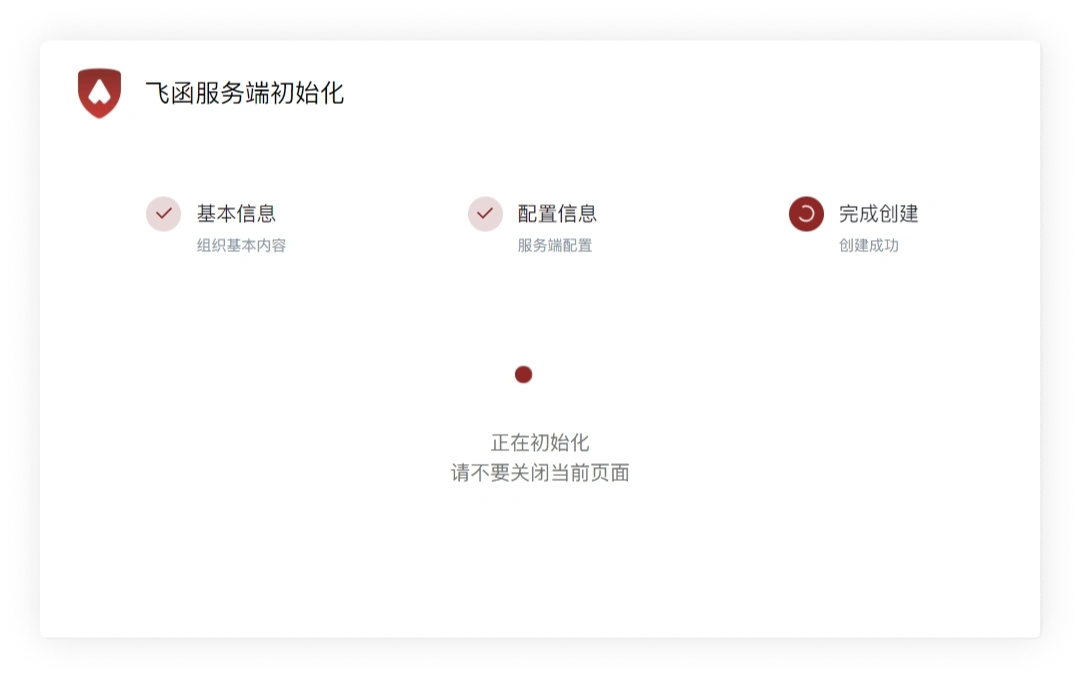
Initialization Successful
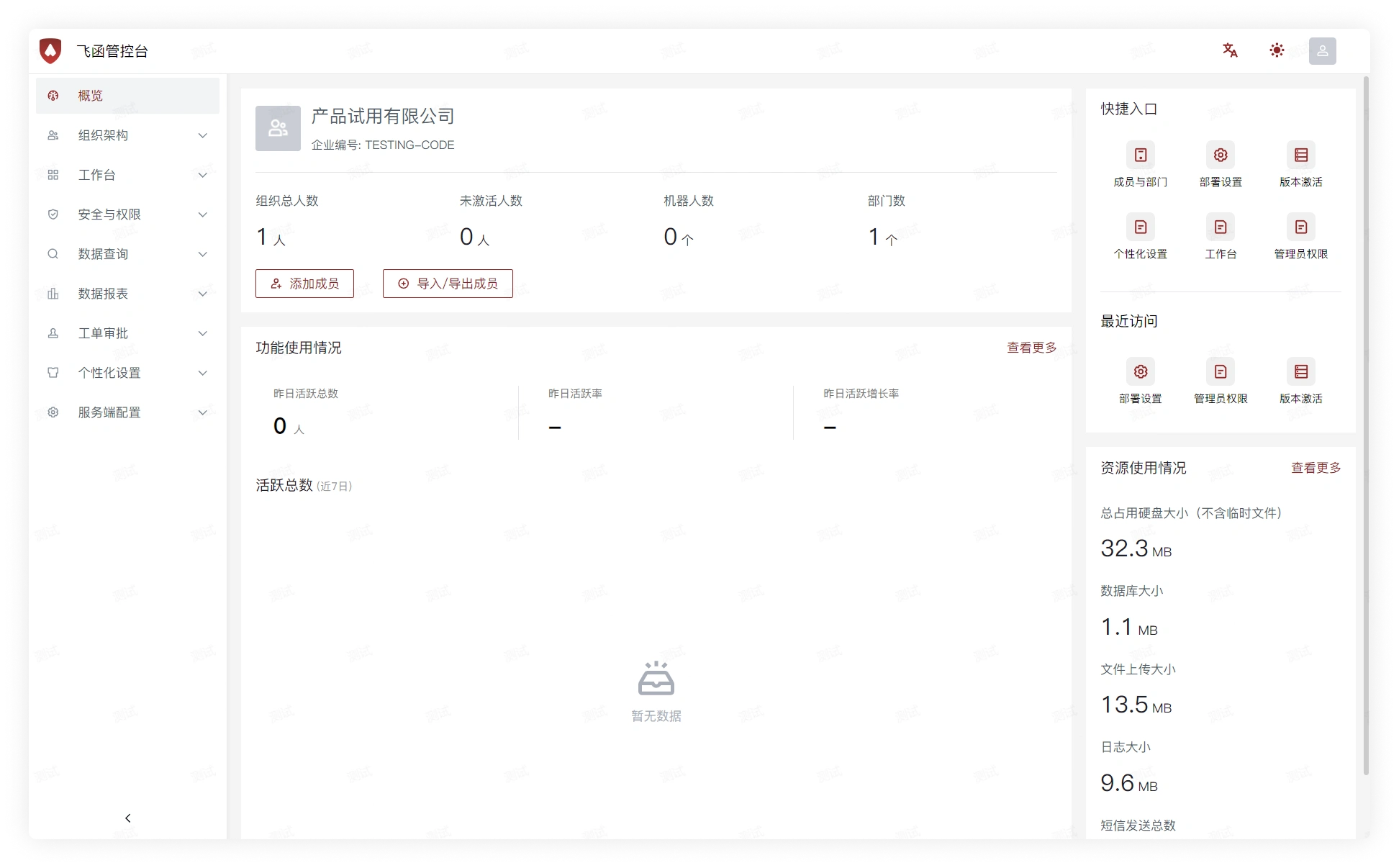
- The server is created successfully and redirects to the Feihan Admin Console
Log In to the Client
- After the Feihan Server installation is complete, click here to go to the client login guide
systemd Service
Extract the server to /usr/local/feihan, and then save the following content to /etc/systemd/system/feihan.service
After that, you can use:
service feihan startto start the serviceservice feihan stopto stop the service